Applications
Applications by stage
A board and a list with filters. The application card brings together stages, documents, tasks, payments and client messages.
- Table and board by stage
- Filters and search
- Change history
- Manager assignment
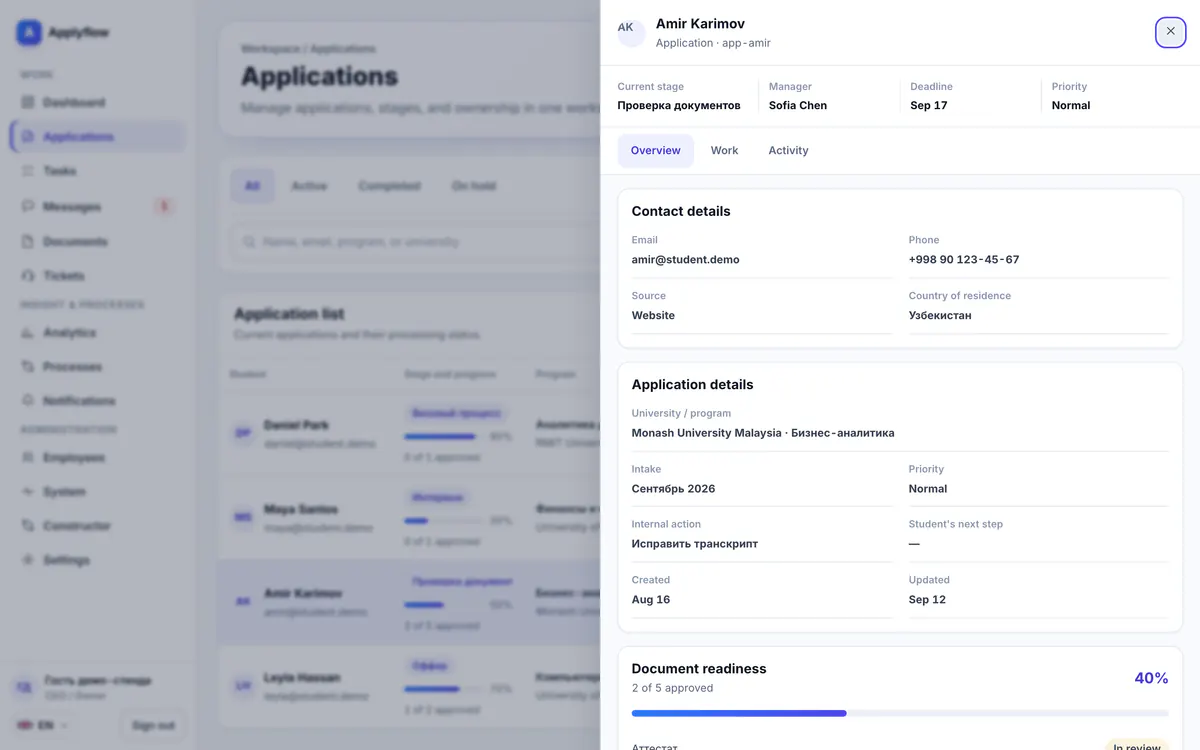
CRM for your team
Applications, documents, tasks, payments and conversations no longer live in spreadsheets and messengers. Every employee sees their own work, and the manager sees the whole picture.
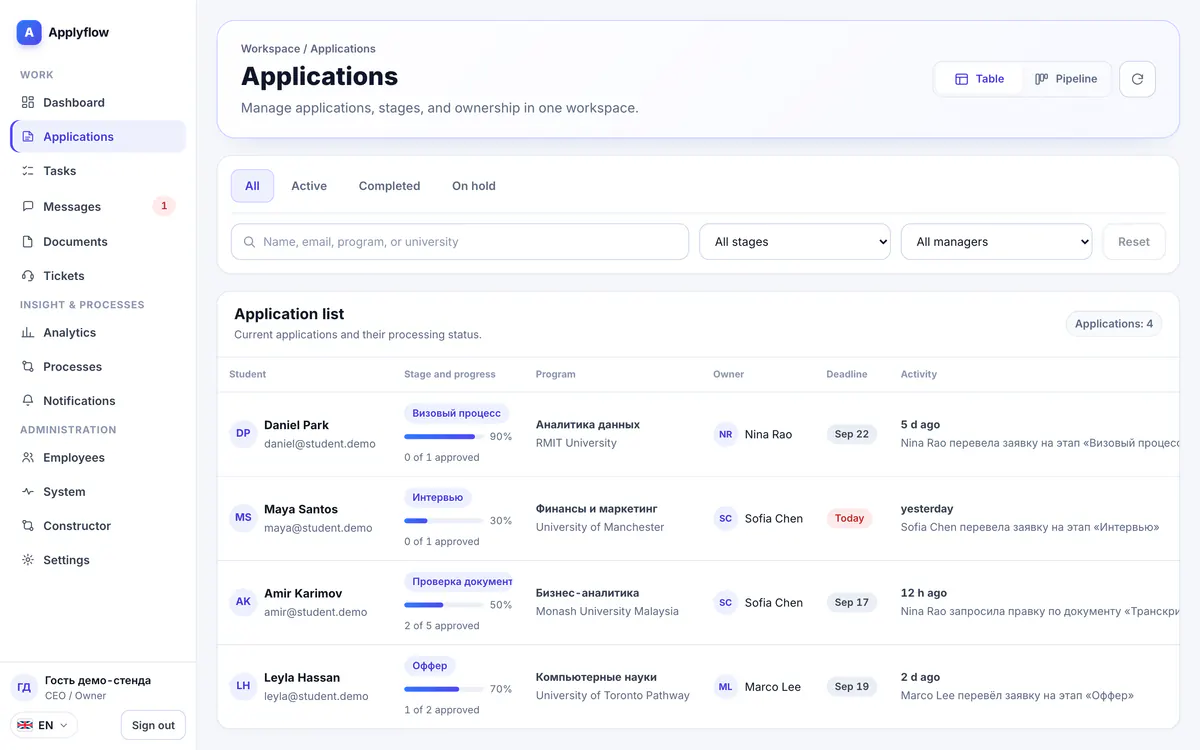
Applications
A board and a list with filters. The application card brings together stages, documents, tasks, payments and client messages.
Documents
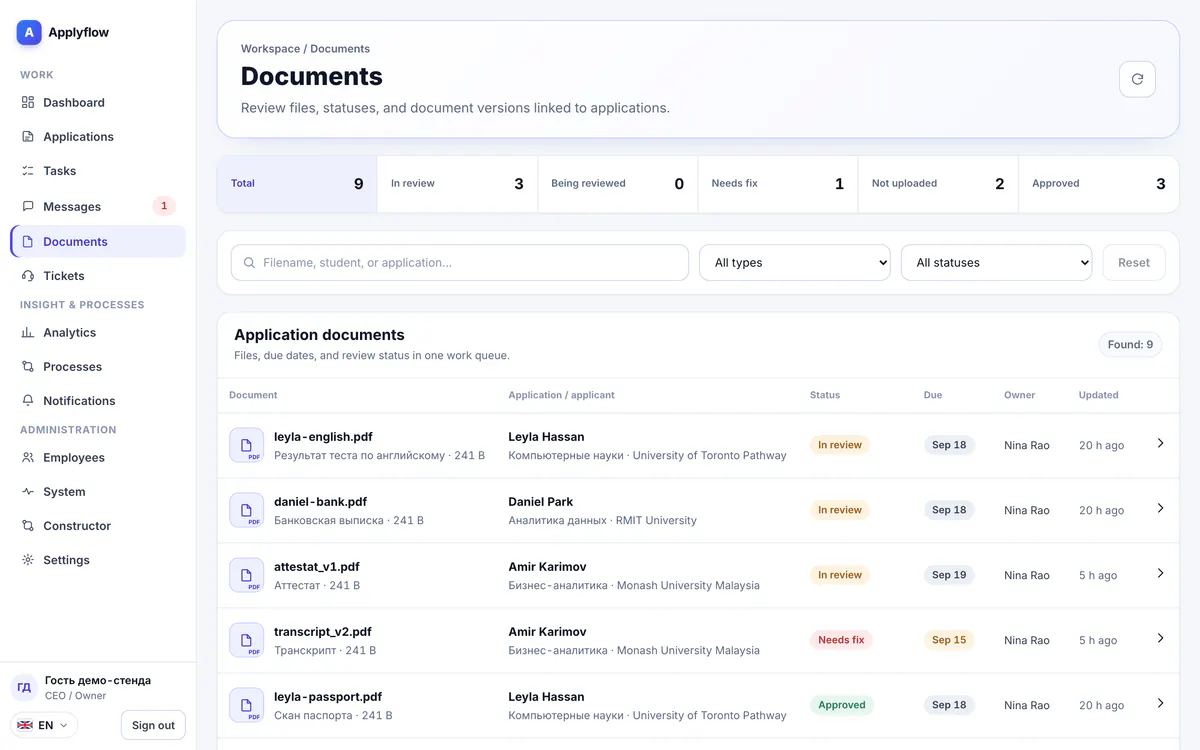
The list of required documents appears at each stage automatically. An employee accepts a file or returns it with a comment, and the client sees the status right away.
Document statuses in the product
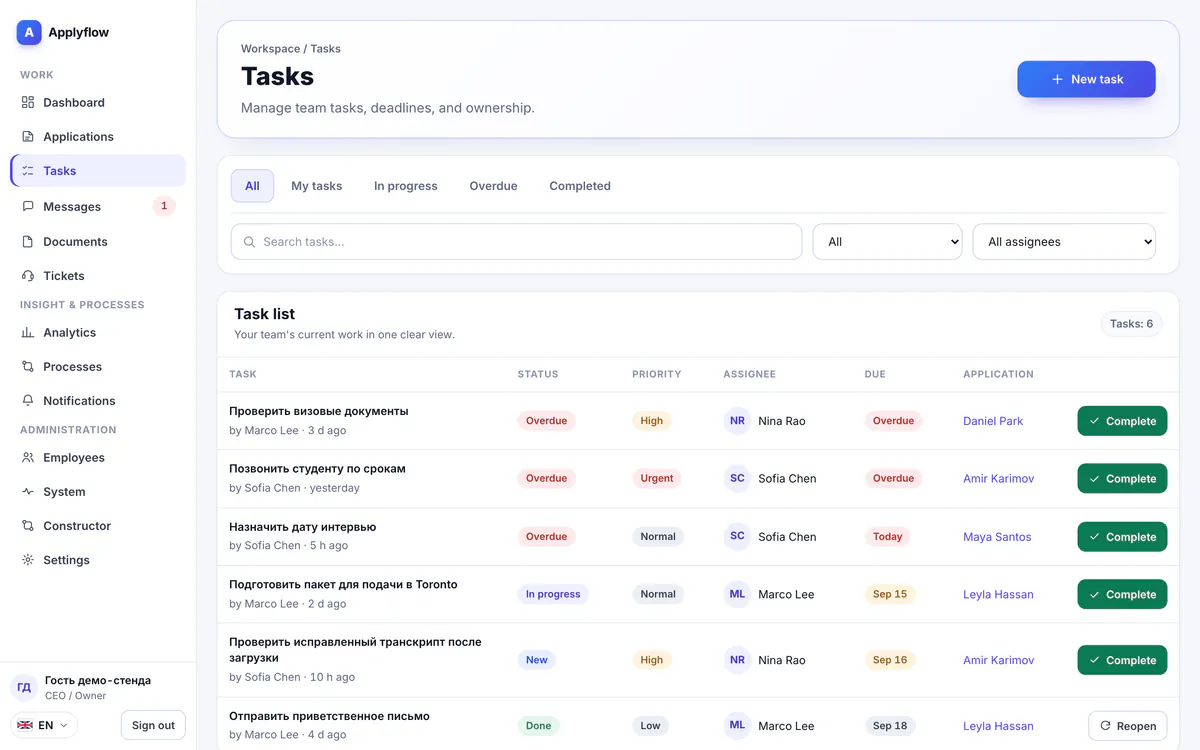
Tasks
Tasks are created when an application enters a stage, and overdue work is visible at once. Nobody has to keep deadlines in their head.
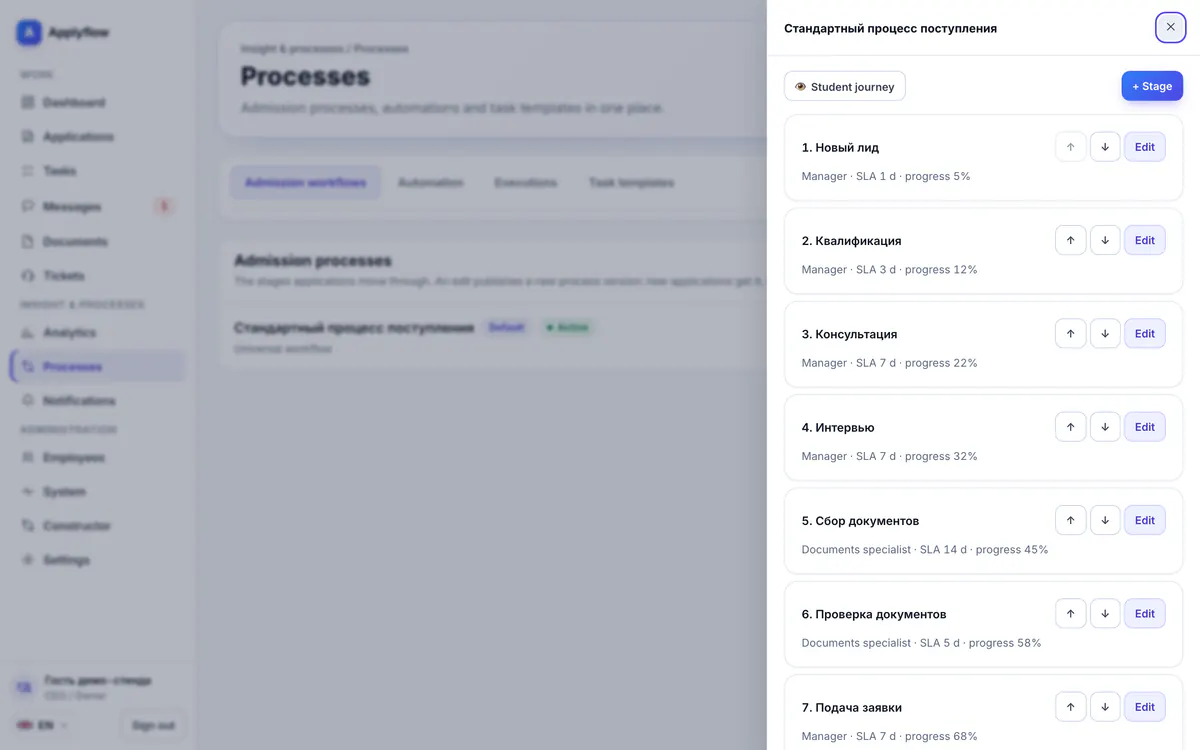
Processes
Stages, required documents and automation rules are configured without a developer. A new version of the process never breaks applications already in progress.
Analytics
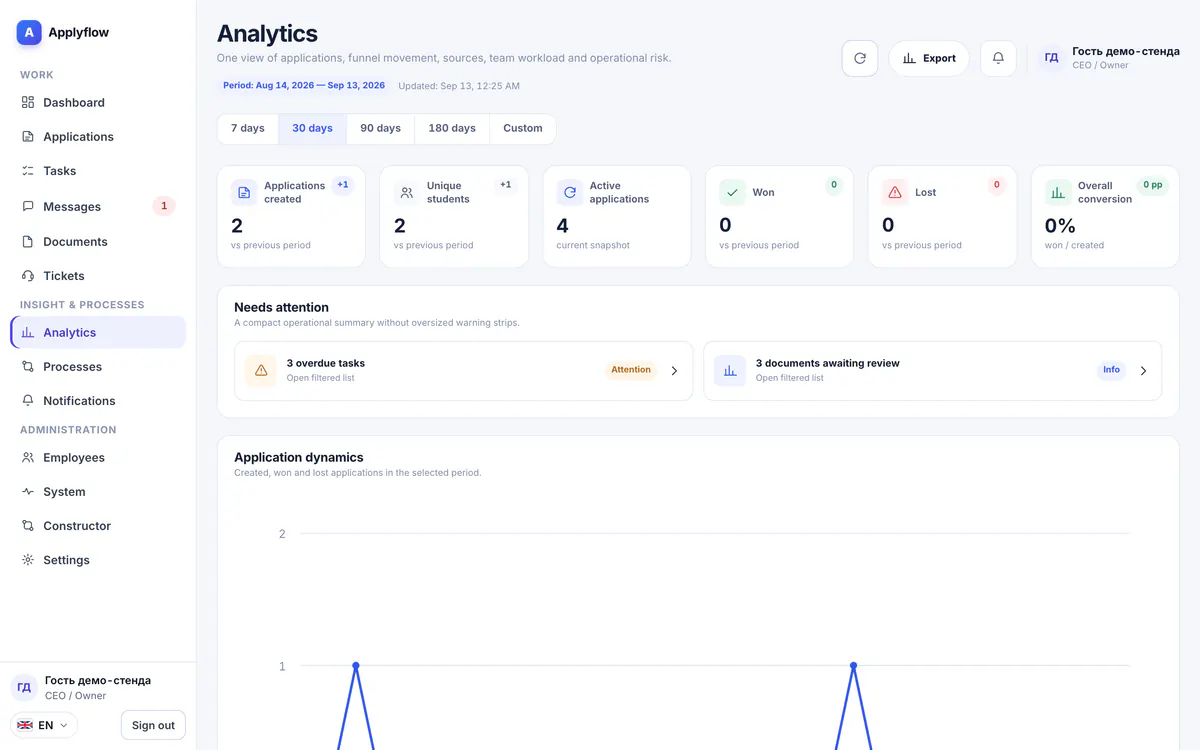
Funnel by stage, application sources, staff workload and overdue items. Reports export to CSV.
The set of modules depends on the plan Compare plans
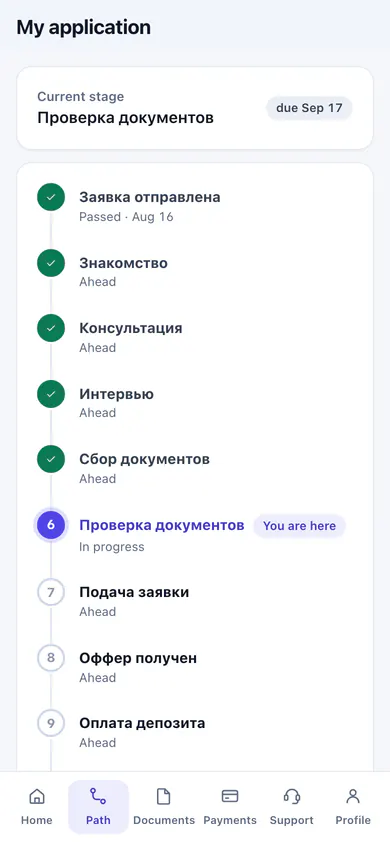
Application stage, documents, payments and chat with a manager, right on the client's phone.
Stages · Documents · Payments · Messages
Learn more
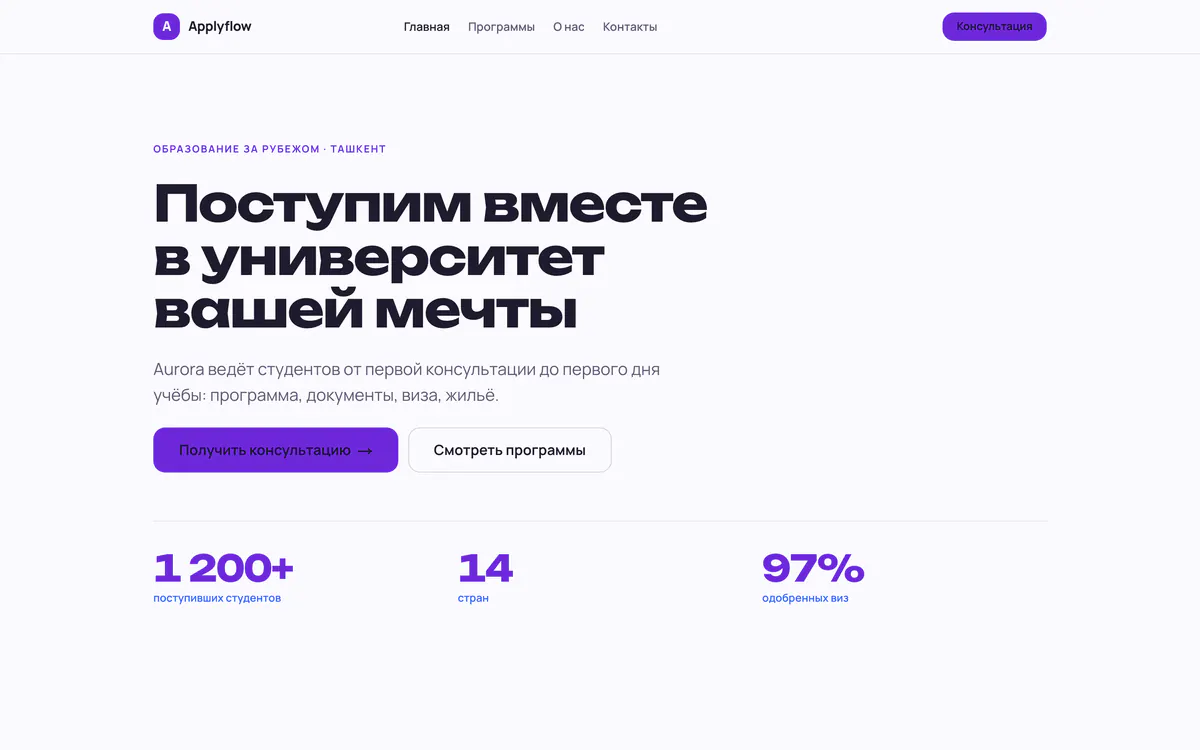
A website built from ready-made blocks on your own domain. Its form creates an application in the CRM.
Templates · Application form · Own domain
Learn more
14 days free, no card needed. Once your request is reviewed, the setup wizard gets you running in an evening.