For education agencies, language schools and visa centres
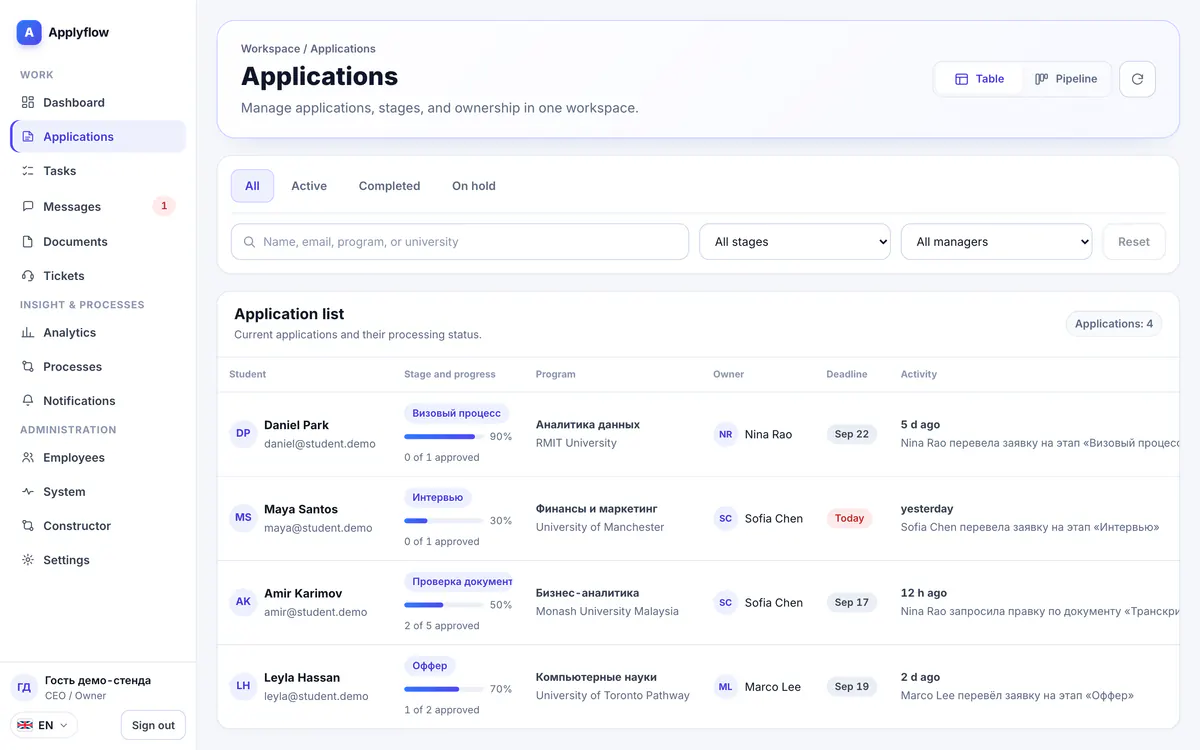
Applications, documents and clients — in one system
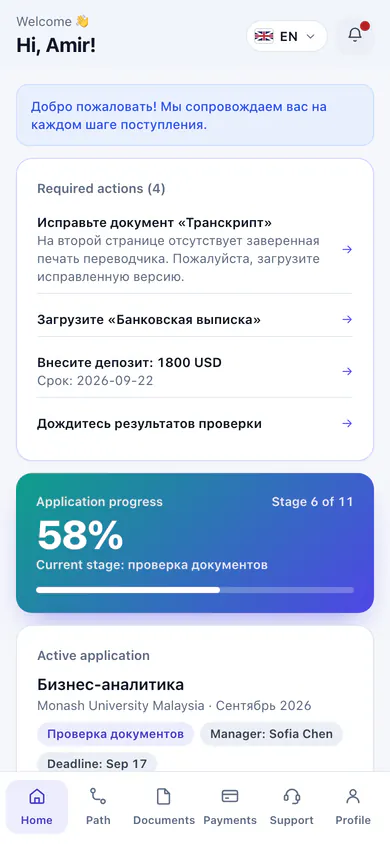
A CRM for your team, a client portal on the phone and a company website — instead of spreadsheets and messengers. The data is shared, nothing is moved by hand.
Free for 14 days, then from $49 a month. No card needed
- No developers needed
- On your own domain
- Interface in five languages
- 15modules — what the plans include
- 5interface languages
- 6staff roles
- 14days free
Three parts of one system
Your team works in the CRM, clients follow their application in the portal, and new requests arrive from your website.
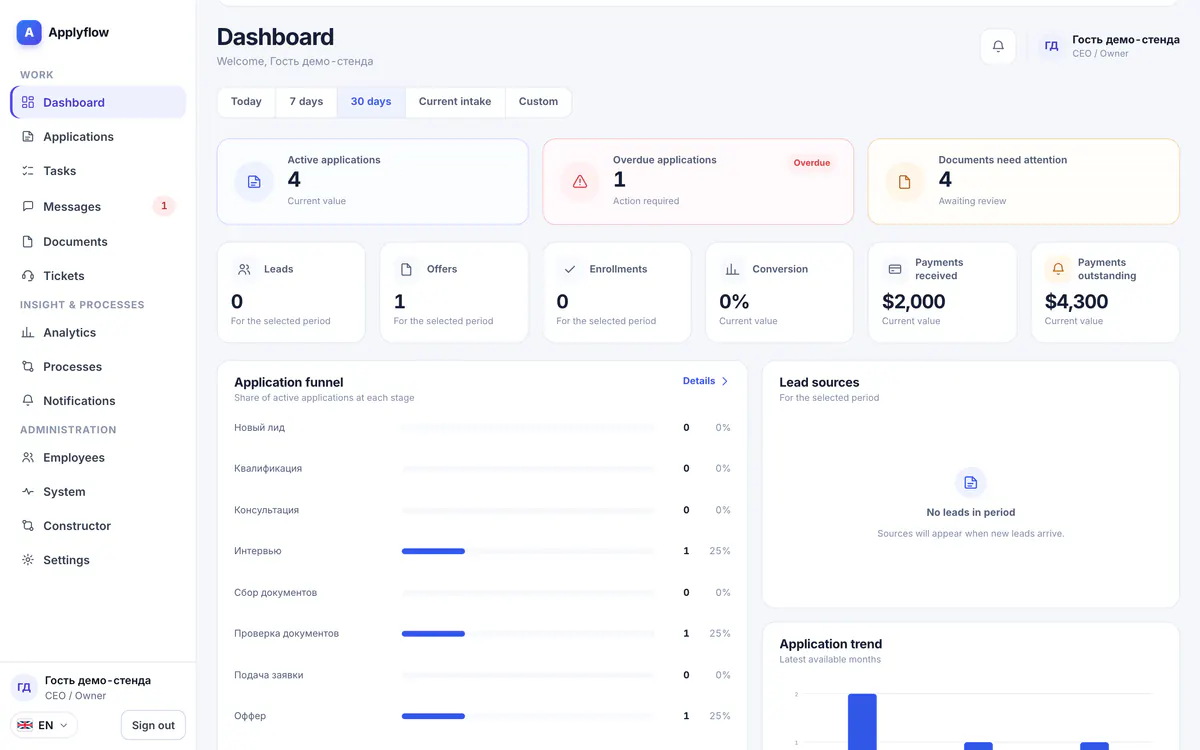
CRM for your team
Applications by stage, reviewed documents, tasks with deadlines and analytics.
Applications · Documents · Tasks · Analytics
Learn more
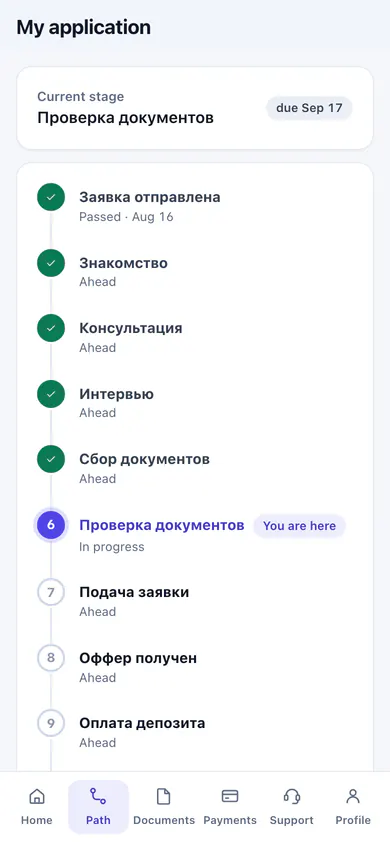
Client portal
Application stage, documents, payments and chat with a manager, right on the client's phone.
Stages · Documents · Payments · Messages
Learn more
Company website
A website built from ready-made blocks on your own domain. Its form creates an application in the CRM.
Templates · Application form · Own domain
Learn more
How it works
Sign up
Six fields: company name, address and industry, your name, a work email and a password.
- No phone number needed
- Only you know your password
- 14-day trial
- Requests are reviewed by hand
Setup wizard
Six steps: industry, build, branding, website, CSV import and team. The website and the import can be skipped.
- A process and document types for your industry
- Your company colors and a starter website
- Import of your current clients from CSV
Team and first requests
Invite employees with the right roles. Requests from the website go straight into the CRM.
- Role permissions are configurable
- Invitation by a link sent to email
- Each employee sets their own password
Who it's for
For companies where a client moves through stages: collects documents, pays in installments and waits for a decision.
Education agencies
Study abroad admissions: programs, intakes, documents and visas.
Language schools and courses
Enrollment requests, documents, installment payments and staying in touch with students.
Visa centers
Document packages, filing deadlines and status for every client.
Other service companies
Stages, documents and roles are configured around the way you work.
How your data is protected
Who sees your company's data and how it is protected.
Only your company sees your company's clients
Every company's data is separated from the rest, and access is checked on the server on each request. The ApplyFlow team signs in to a workspace only for support, with a stated reason; every sign-in is written to the log.
Files open only through an authorized link
Passports and receipts do not sit at public addresses: access to a file is checked every time it is opened.
A copy of the database every day and before every update
Before the product is updated, both the database and the uploaded files are saved.
HTTPS on every address, including your own domain
Certificates for product addresses and company domains are issued and renewed automatically.
Sign in with a one-time code or a password
The 6-digit code is valid for 5 minutes. Only you know your password — it never arrives by email.
Support answers from inside the CRM
You ask the ApplyFlow team right inside the CRM on any plan. First reply within 2 hours, depending on the plan.
Frequently asked questions
Do I need a card to start?
Can I bring over my current clients?
What languages does the interface work in?
Who sees my company's data?
What happens after the trial?
Try it with your own data
14 days free, no card needed. Once your request is reviewed, the setup wizard gets you running in an evening.