ApplyFlow

Company website

A website that sends requests straight into your workflow

Build a site from ready-made blocks and publish it on your own domain. The form on the site creates an application in the CRM, with no forwarding from email.

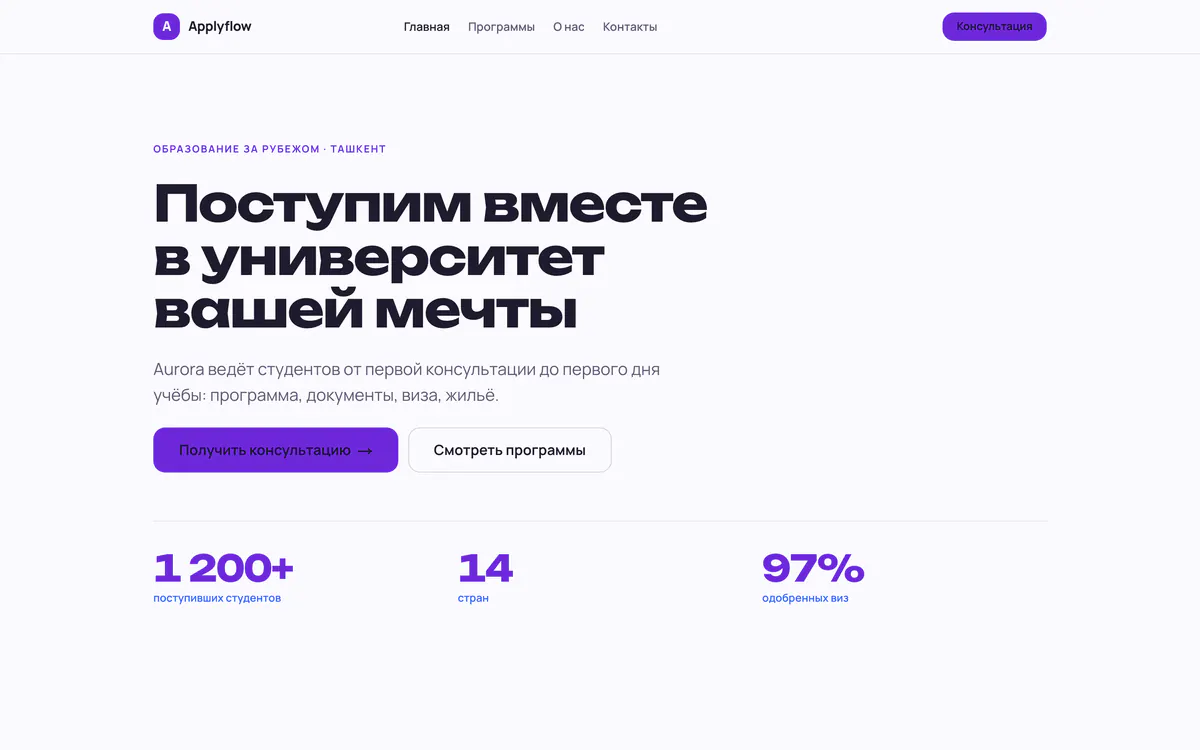
A published company website built from a template: the first screen with a heading, buttons and figures
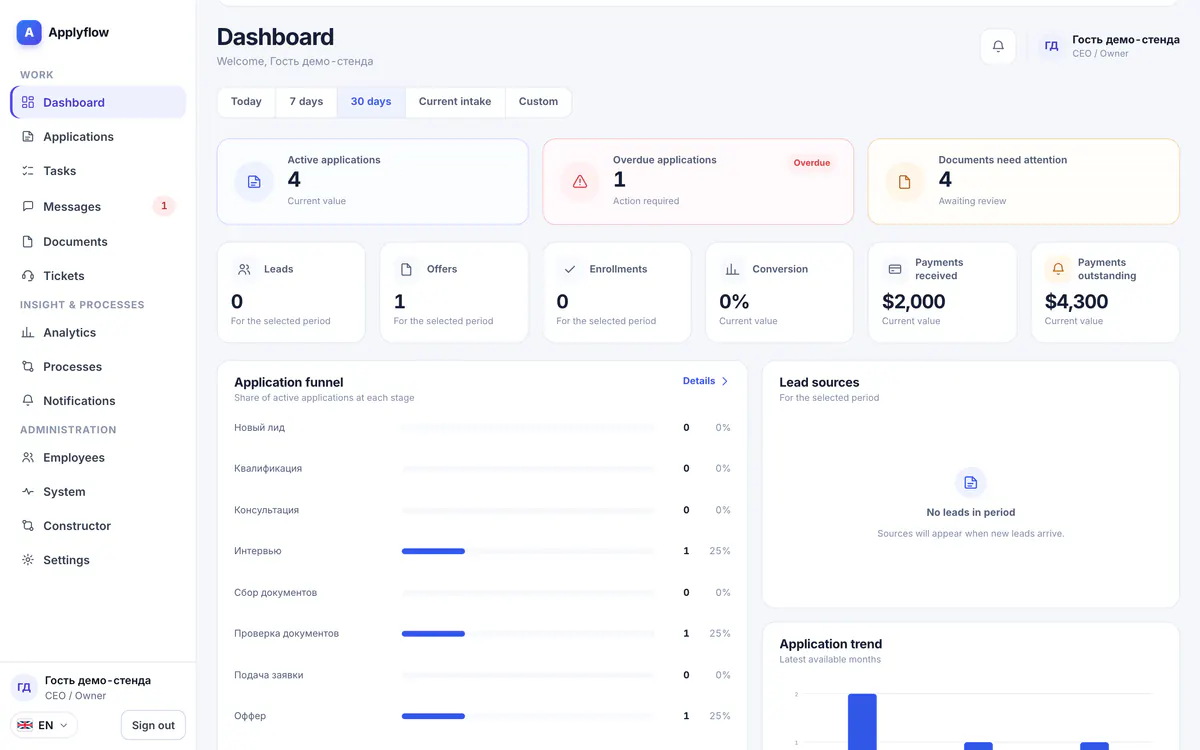
A real product screen from the demo company

Templates

Templates for your business

Start from a ready-made site for an agency, a language school or a visa center and replace the text and photos with your own. Design and mobile layout are already done.

  • For an agency, a language school and a visa centre
  • Eight design themes
  • Texts and photos are replaced with your own
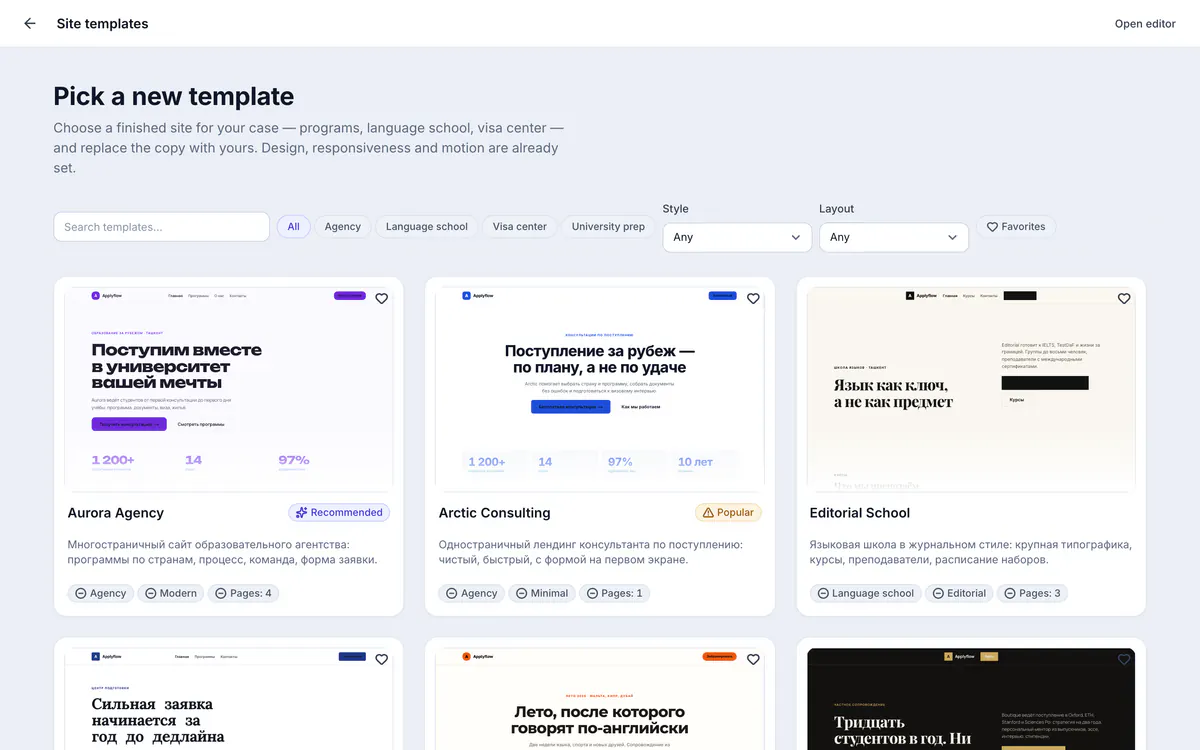
Choosing a website template: ready sites for an agency, a language school and a visa centre

Editor

Draft and publish

Edits collect in a draft and reach the live site only when you publish. Before that, you can see the site the way a visitor will.

  • Edits pile up in a draft
  • Checkpoints to roll back to
  • Before publishing, empty fields, broken links, missing images and SEO are checked
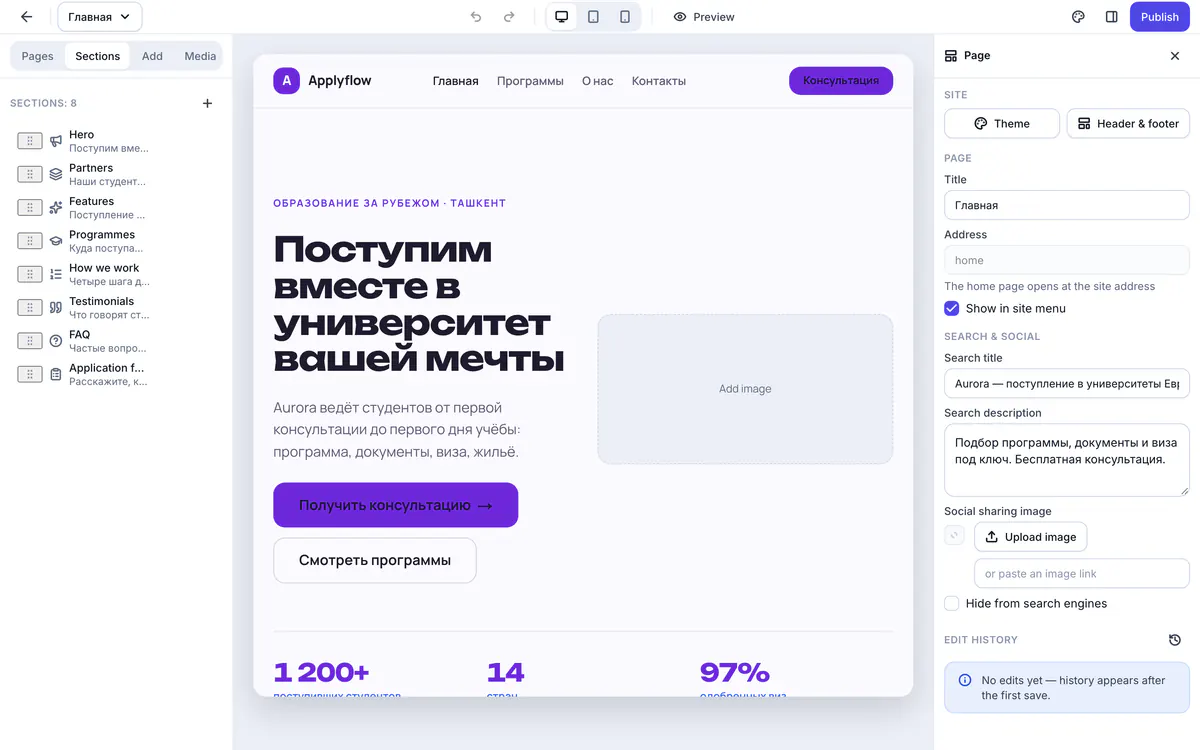
The website editor: page sections, the canvas and search engine settings

Website requests go straight to the CRM

A submitted form appears in the CRM at the first stage of your process. Spam and duplicate submissions are filtered out.

  • The first stage of your process
  • The “Website” source in the application card
  • Spam and repeat submissions are filtered out

Your own domain

Connect your company domain and HTTPS is issued automatically. Until then, the site works at an address on the platform.

  1. Add the domain in the CRM
  2. At your registrar add the TXT record _applyflow.<domain> and an A record with the address from the CRM
  3. Wait for the check — HTTPS will be issued automatically

Also included

  • Titles and descriptions for search engines
  • Sitemap for indexing
  • Multiple pages
  • Brand style from your company settings
  • Images are compressed automatically
  • Preview through a visitor's eyes before publishing

Try it with your own data

14 days free, no card needed. Once your request is reviewed, the setup wizard gets you running in an evening.

Company website with a form into the CRM — ApplyFlow